

Fishing Points: Map & Forecast – iOS Source Code


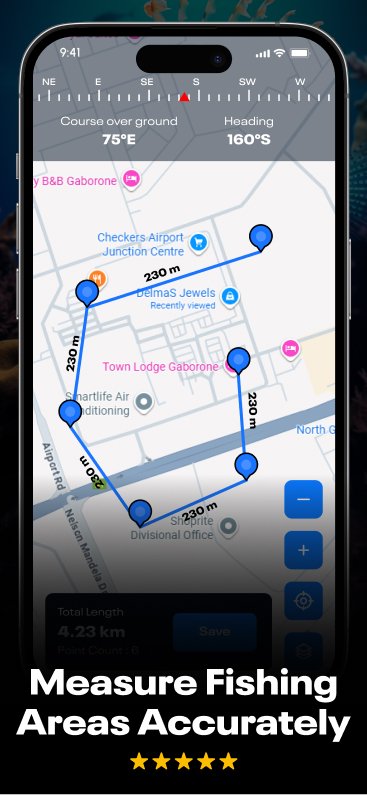

Navigate, plan, and explore your next fishing adventure with Fishing Points: Map & Forecast, a beautifully designed iOS app built using Swift + SwiftUI.
Fishing Points is a powerful and feature-rich fishing companion app designed to help anglers find the best spots, plan trips, and track catches with accuracy. Whether you fish in lakes, rivers, or oceans, this iOS app provides advanced tools like GPS fishing maps, weather insights, tide forecasts, and location markers to make every trip more successful.
With an intuitive interface and real-time environmental data, fishermen can discover hotspots, save favorite locations, and improve their fishing strategy using smart analytics. The app helps you monitor wind speed, wave height, moon phases, and bite times so you always know the perfect moment to cast your line.
Use the built-in fishing map to explore depth areas, detect fish activity zones, and log detailed catch information including species, size, bait, and location. Each saved point becomes part of your personal fishing history, helping you track patterns and boost your success rate over time.
Whether you’re a beginner or a professional angler, Fishing Points brings all essential fishing tools into one app—making every trip better, smarter, and more productive.
What Does This Product Offer You
You’ll receive the complete iOS source code for Fishing Points: Map & Forecast, featuring a fully functional navigation system, nearby places, and customizable user settings — all production-ready for App Store release.
Key Highlights:
- Interactive Map View – Navigate and view fishing spots with live location markers.
- Smart Search System – Instantly find locations, rivers, lakes, and landmarks.
- Share Location Feature – Easily share coordinates or favorite spots with friends.
- Route Directions – Turn-by-turn directions from your current location to your chosen spot.
- Nearby Places List – Discover food stops, shops, hotels, and emergency services around you.
- Settings Screen – Customize navigation units (km/mi), cursor style, and privacy settings.
- Navigation Cursor Options – Choose from cars, boats, or custom markers for your map experience.
- Paywall-Ready UI – Integrate in-app purchases or AdMob monetisation with ease.
- Dark-Mode Design – Premium dark theme with vibrant purple accents and smooth animations.
- Complete Documentation – PDF guide with setup, configuration, and rebranding steps.
What Do You Need To Get Started
- Mac computer with Xcode 15+
- iPhone or iPad running iOS 14+
- (Optional) AdMob for ad monetisation
- (Optional) Firebase for analytics or user insights
- Basic knowledge of Swift / SwiftUI (setup guide included)
How Does It Work
- Launch the app and let GPS detect your current location.
- Search for fishing areas or map points using the smart search bar.
- Tap a location to view directions or share it with your friends.
- Use the Nearby Places section to explore restaurants, parking, or shops.
- Customize your navigation cursor and measurement units from Settings.
- Enjoy a smooth, interactive navigation experience with a stunning map interface.
What’s Included
- Full iOS Source Code (Swift + SwiftUI)
- Complete UI/UX design assets
- Home, Search, Nearby, Share, Directions, Settings screens
- Custom navigation icons and cursor selector
- Dark theme with gradient styling
- PDF documentation for setup & customization
- Xcode-ready project compatible with iOS 14+
Target Audience
Ideal for:
- Fishing Enthusiasts & Anglers – Plan trips, track directions, and share catches.
- Outdoor Adventurers – Explore lakes, rivers, and beaches with live map navigation.
- Developers – Rebrand or extend this project for location-based or travel apps.
- Entrepreneurs – Launch a premium fishing or navigation app with built-in monetization.
Why Choose Fishing Points – Map & Forecast?
- Elegant and modern SwiftUI interface
- Fully functional navigation system with real-time routes
- Customizable UI – update colors, icons, and units easily
- Monetization ready – integrate AdMob or in-app purchases
- Developer-friendly codebase for quick branding
- Engaging dark-mode design with high-contrast map visuals
- Complete documentation for beginners and pros alike
Price: $99
We’re confident in the quality of our products — that’s why we offer unlimited FREE support to every customer.
