
Blog
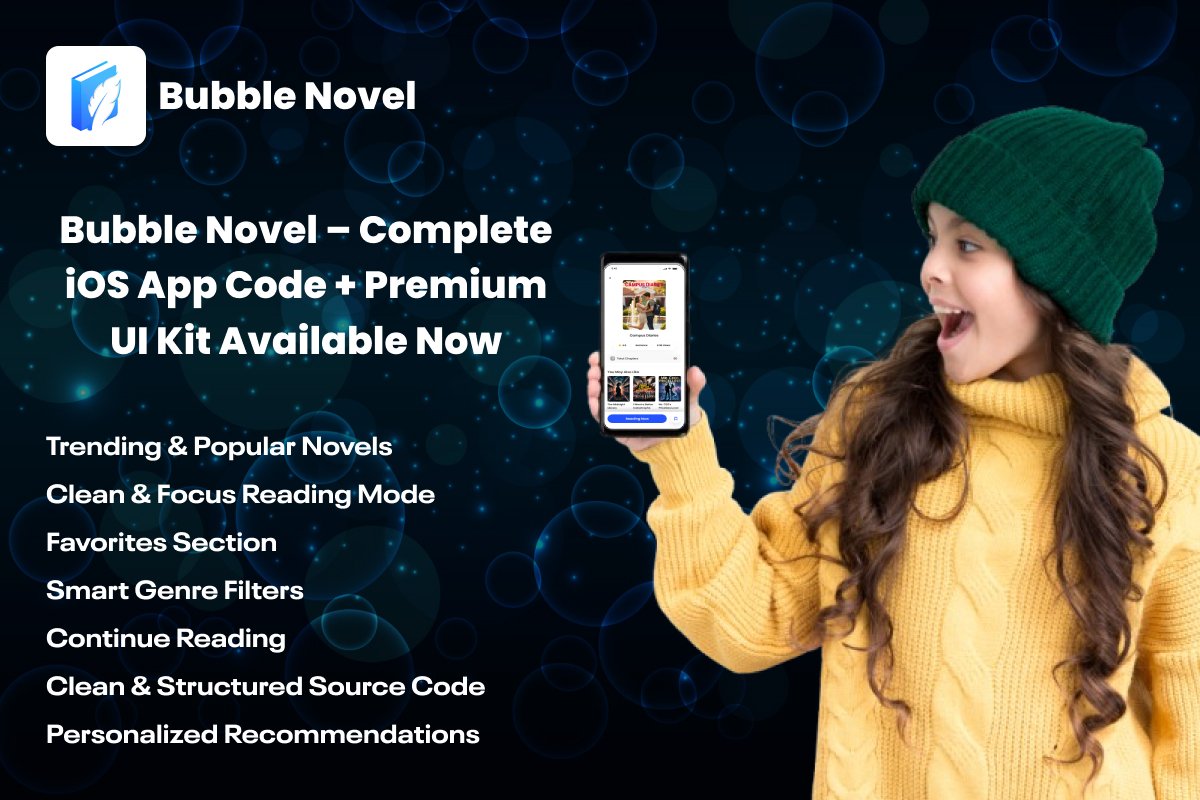
Bubble Novel Flutter App Source Code: Discover the Best Romance Stories Today
If you’re looking for a high-quality Flutter template that helps you build a modern reading app quickly, Bubble novel is the perfect starting point. This beautifully crafted app source code, created by Softmize app studio, gives you a complete foundation to launch a premium story app without building everything from scratch. With a clean UI, a smooth reading experience, and structured source code, Bubble novel allows developers to create a professional book application in less time and with fewer complications.
The design focuses on readers who enjoy romance and trending stories. From the home screen to the reading screen, every part of the app feels simple, responsive, and user-friendly. Whether you want to launch a full novel platform, add reading features to an existing project, or develop a custom story app for clients, the Bubble Novel Flutter source code gives you all the essential components in one place.
1. Trending & Popular Novels Section
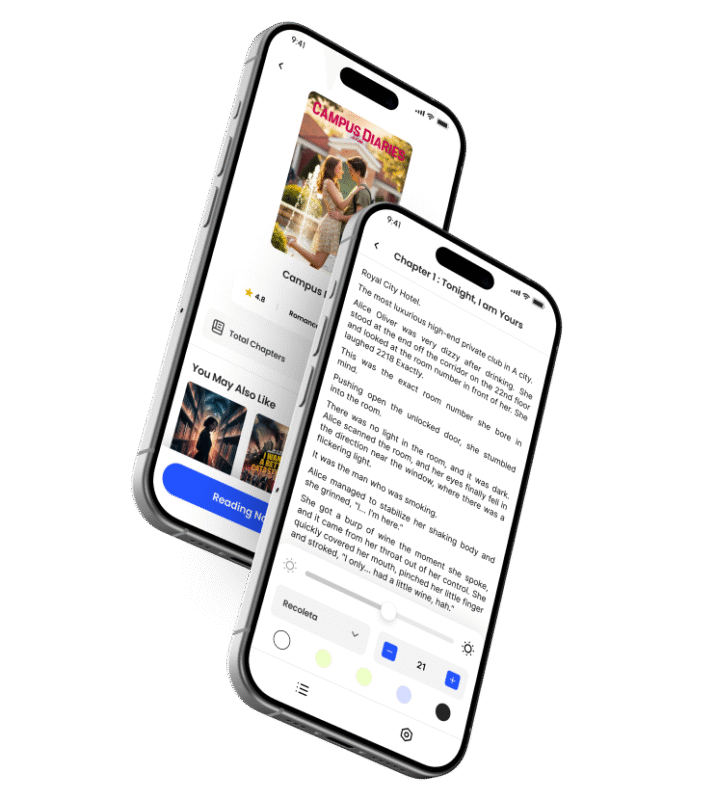
The first thing users see when they open Bubble Novel is a clean and visually attractive layout showcasing Trending and Popular Stories. This section is designed to increase user engagement by showing fresh, high-demand novels right on the home screen.
When readers open the app, they don’t have to search endlessly—they immediately get suggestions based on what other users are enjoying. This creates a strong sense of interest, especially for romance readers, because they want to explore stories that are already popular among the community.
From a developer’s perspective, this section is built using flexible Flutter widgets, making it simple to update with new content. You can integrate your own database, connect APIs, or add content management features later. The layout is already optimized for mobile screens, ensuring the cards scale correctly on different devices.
2. Clean & Focus Reading Mode
The reading mode is the heart of any novel or story app. Bubble novel delivers a smooth, distraction-free experience that lets readers fully immerse themselves in the story.
The screen uses clean typography, simple spacing, and a minimal layout. There are no extra buttons, ads, or heavy UI elements—just pure reading. This makes the screen perfect for long sessions, especially when users are reading emotional or romantic content where attention is important.
Behind the scenes, the reading view is structured in a way that developers can easily customize it. You can add:
Font size controls
Dark mode
Line spacing adjustments
Theme switching
Page-turn animations
Even if you don’t add these features immediately, the code is flexible enough to support them without a complete redesign.
3. Favorites Section
The Favorites section acts like a personal library for every user. Whenever a reader finds a story they want to save, they can quickly add it to their Favorites list.
This feature helps users keep track of interesting novels they want to read later. It also increases user retention because people love apps that can remember their preferences.
For developers, the Favorites system is easy to modify. You can:
Connect it with local data storage
Sync it with a backend database
Add login features
Show personalized dashboards
It is one of those small but very powerful features that turn casual readers into long-term users.
4. Smart Genre Filters
Genre filters are essential for a reading app because readers have different moods and tastes. Bubble Novel includes a simple and user-friendly filter layout where users can tap on genres to discover novels of that type.
For example, if someone wants:
Romance
Drama
Teen stories
Or trending emotional content
…they can find it with just one tap.
For developers, the filter section is built with reusable UI components. This means you can easily add:
More categories
Custom icons
API-based automatic genres
Users love apps where navigation is fast and simple, and Bubble Novel achieves this through its clean genre filter section.
5. Continue Reading Feature
One of the most helpful features in Bubble novel is the Continue Reading section. Whenever a user opens a story, the app automatically keeps track of the last chapter or page they were reading.
So when they come back the next day, they don’t have to search for the novel again—the app places it right at the top of their screen.
This improves the overall user experience dramatically because it reduces friction and saves time. The feature is especially useful for romance apps where users follow long stories chapter by chapter.
On the technical side, the app handles reading progress with clean, maintainable code. Developers can easily:
Sync reading progress to cloud
Add login systems
Save bookmarks
Track chapter completion
The structure is already optimized for future extensions.
6. Personalized Recommendations
Bubble Novel includes a ready-made layout for recommended novels. This section suggests books based on user behavior, trending categories, or popular choices.
Even though the recommendation logic depends on the backend you will add later, the UI is already beautifully prepared. This means you can focus on building your recommendation engine while the frontend layout remains clean and ready to use.
This feature gives the app a professional touch similar to large reading platforms. Users feel like the app understands their taste and shows stories that match their interests.
7. Clean & Structured Flutter Source Code
Softmize app studio always focuses on delivering source codes that developers can work with effortlessly. bubble novel follows the same approach. The project has a clean architecture, well-organized widgets, and structured folders. This makes it easier for you to customize, rebrand, or integrate external APIs.
Whether you are a beginner or an experienced Flutter developer, you will find the codebase simple, readable, and ready to scale.
Who Can Use the Bubble Novel Flutter App Source Code?
The Bubble Novel Flutter App Source Code is designed to be flexible, easy to customize, and suitable for many types of users. Whether you are a beginner developer or someone planning to launch a full novel-reading business, this source code gives you a clean foundation to build from. Below is a detailed explanation of who can benefit from this app:
1. Flutter Developers
Developers working with Flutter can use this source code to speed up app development. Instead of building everything from scratch, you get a complete UI and functional screens already prepared.
It is useful for:
Students learning Flutter
Beginner developers trying to improve their skills
Experienced developers who want a ready-made template
Developers building custom projects for clients
Because the code is clean and structured, even new Flutter learners will find it easy to understand and work with.
2. App Agencies & Freelancers
If you offer mobile app development services, this template saves a huge amount of time. Instead of creating a novel-reading app from the ground up, you can customize Bubble Novel according to your client’s branding and features.
It helps agencies:
Reduce production time
Offer high-quality UI
Deliver projects faster
Manage more clients in less time
This makes your workflow faster and more profitable.
3. Entrepreneurs & Startups
Anyone planning to start a reading app, romance stories app, or fiction platform can use Bubble Novel to launch their startup faster.
It is perfect for people who want to create:
Romance novel apps
Fiction story platforms
Book reading platforms
Self-published story apps
Community-based story apps
The design already feels like a polished, professional product, so you can focus on growing your content and marketing.
4. Writers, Authors & Story Creators
If you write your own stories and want to publish them in an app, Bubble Novel is a perfect solution. You can upload your stories, create categories, and offer a clean reading experience to your audience.
Many independent authors use their own apps to:
Publish their novels
Build a reader community
Share exclusive or premium stories
Promote their new content
With Bubble Novel, you can easily showcase your writing in a modern, user-friendly interface.
5. Content Creators & Publishers
Publishers or content creators who manage a collection of stories can use this source code to distribute their content on mobile apps. The Trending, Favorites, Genre Filters, and Continue Reading features help deliver a premium reading experience for large audiences.
It is useful for:
Fiction publishers
Digital book creators
Serial story publishers
Web novel communities
6. Students Working on Projects & Assignments
Bubble Novel is great for students who need a complete app template for:
College projects
Academic assignments
Final-year projects
Flutter learning practices
Because the code is easy to read, students can learn real-world app structure and UI implementation.
7. Anyone Looking to Build a Clean Reading App
Even if your idea is not related to romance novels, Bubble Novel can still be used to build any reading-related app. The clean UI can be adapted for:
Kids’ stories
Motivational articles
Educational content
Short stories
Community stories
Fiction updates
The structure is flexible enough to support any reading-based content.
Why Bubble Novel Is Perfect for Developers
The Bubble Novel Flutter app code is ideal for developers who want:
A ready-to-use reading app UI
A fully responsive and modern layout
A simple design that reduces development time
Clean code that can be customized easily
A premium-looking app that attracts real users
With this source code, you save hours of design and development work, allowing you to focus on adding your own backend, payment features, or exclusive story content.
What’s Included
Complete Bubble Novel Flutter App Source Code
Premium UI with a trending novels section
Clean & focus reading interface
Favorites system
Genre filters
Continue Reading layout
Personalized recommendations UI
Well-organized project structure
Editable assets and components
Why Choose Softmize App Studio
Softmize app studio provides high-quality app templates designed specifically for developers who want to build faster without compromising quality. Every source code is carefully crafted with clean UI, smooth performance, and easy customization in mind.
When you purchase a template from Softmize App Studio, you get:
Professionally designed layouts
Developer-friendly code
High-quality UI kits
Fast loading screens
Templates ready for real-world projects
Our goal is to help you launch your product in the shortest time possible.
Get Started Today
If you’re ready to build a premium novel-reading app, bubble novel is the perfect starting point. With its beautiful UI, organized Flutter code, and essential reading features, you can quickly turn your idea into a polished mobile app.
Download the bubble novel Flutter App Source Code from Softmize App Studio today and start building your next reading platform with confidence.