
Blog
Password & Secure Notes App Source Code: Build a Safe Digital Vault
A secure digital experience is now essential, especially for users who want to protect personal photos, private notes, passwords, and confidential information. Developers are actively searching for high-quality templates that help them launch such security-focused apps quickly. softmize app studio brings a complete Password & Secure Notes Flutter App Source Code, designed to help you build a powerful Digital vault with professional UI, clean structure, and reliable data protection features.
This source code is perfect for developers who want to create a modern privacy app without spending months on design and development. With its ready-made screens and polished UI Kit template, you can build a secure Digital vault app that offers smooth navigation, attractive layouts, and strong privacy components.
softmize app studio delivers this Flutter app in a ready-to-launch format, ensuring developers can focus on customization, branding, and deployment. Whether you’re building a standalone vault app or adding new security features to an existing project, this code provides an ideal foundation.
Complete Feature Breakdown for Developers
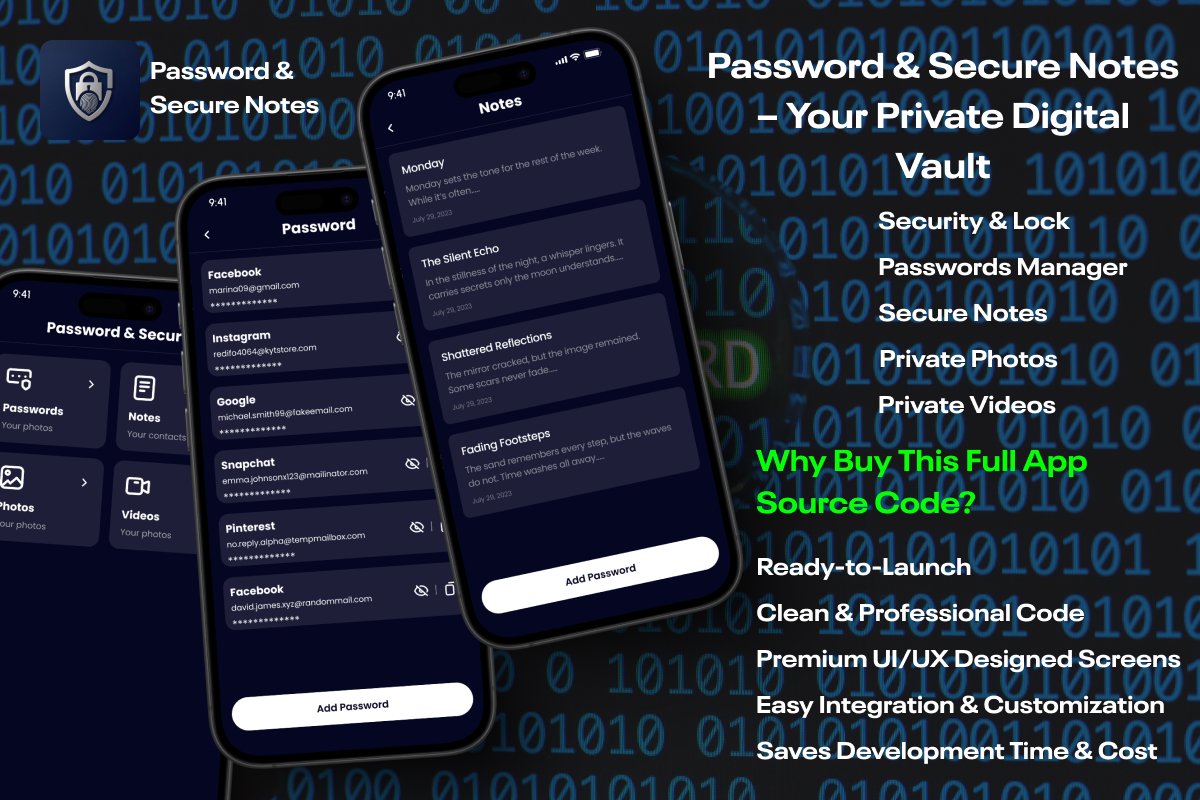
The Password & Secure Notes Flutter Source Code is designed to help developers build a high-quality Digital vault with reliable privacy tools and a clean UI. Every feature is structured to make integration simple while giving users a smooth and secure experience. The app includes a private media locker where users can store confidential photos and videos inside a protected environment. This module offers an organized gallery layout, making it easy to manage hidden files.
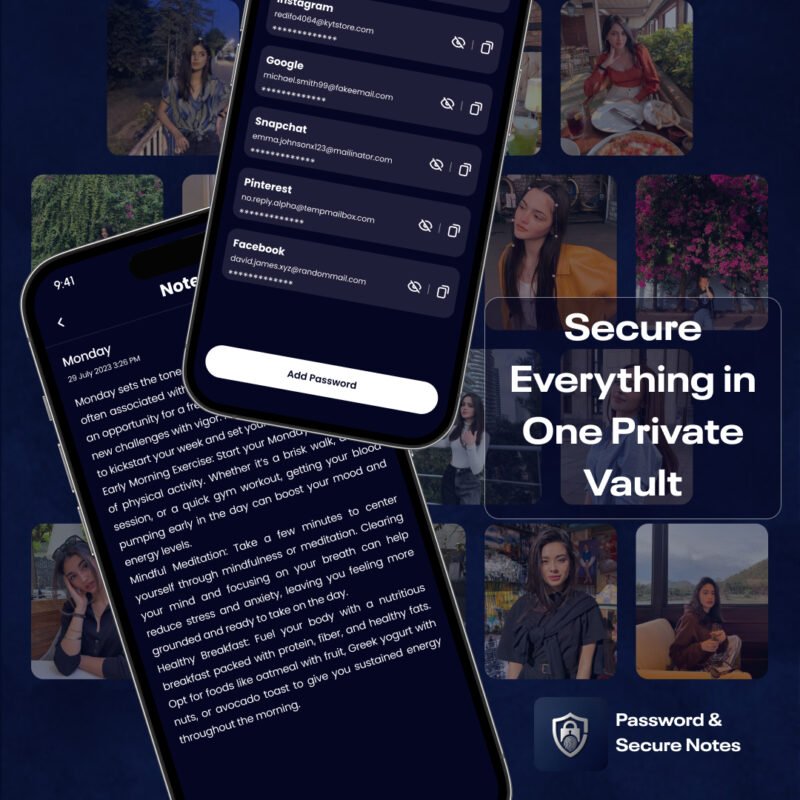
The secure notes section enables users to write and lock personal information with complete privacy. Each note is displayed in a clean card-style layout to improve readability and navigation. A separate password manager is included, allowing users to save and access credentials for different accounts. This feature is essential for a modern Digital Vault and is simple to extend or customize.
Developers also get a secure contacts module for storing private numbers, along with a private browser for anonymous browsing without history. The calculator lock adds an additional layer of security by disguising the vault as a functional calculator. The intruder capture system completes the app with a break-in alert that takes a photo when someone enters the wrong password. This full feature set helps developers launch a complete privacy app quickly and confidently.
1. Private Photos & Videos Locker
This module allows users to lock their private photos and videos inside a secure Digital vault.
Key details:
Clean gallery interface
Smooth scrolling for easy navigation
Add media directly from the device
Hide content inside a secure environment
Developers can customize categories, layouts, or thumbnail styles based on project needs. This feature alone is in high demand among users who want to protect personal media files.
2. Secure Notes Writer & Manager
This feature gives users a dedicated space to write private notes.
The notes section includes:
A clean list layout
Smooth card-style design for each note
Ability to add, edit, and store multiple notes
Designed for everyday use and confidential storage
Users can save important ideas, private thoughts, reminders, and sensitive information.
Since the Digital Vault protects these notes securely, the app becomes a trusted tool for people who rely on digital note-taking.
3. Confidential Contact Storage
Some contacts need more privacy than others.
With the secure contact list module, users can:
Save private contacts
Access them only inside the Digital Vault
Keep confidential connections away from the main device contacts
This module is simple, clean, and ideal for users who want to protect sensitive information about people they stay connected with.
4. Password Manager System
This is one of the strongest features in the Digital vault.
Modern users handle dozens of accounts, and remembering passwords becomes difficult.
With this module, users can:
Store passwords for apps, websites, and accounts
Add usernames, emails, and masked passwords
Access everything in one secure place
For developers, this feature is highly valuable because password managers are always in demand.
You can expand it later by adding encryption, categories, or password generators.
5. Private Browser for Anonymous Browsing
The app includes a built-in private browser for users who want to browse the internet without storing history or exposing activity.
Benefits:
No history saved
No tracking
Simple, distraction-free interface
This increases the value of the Digital Vault because users get complete privacy for their online activity.
6. Smart Calculator Unlock System
One of the best additions to the Digital vault is the calculator lock system.
It appears like a working calculator, but when users enter a secret passcode, the Digital vault opens.
This feature:
Protects the app from unwanted attention
Offers a secure disguise
Blends naturally into the phone interface
It’s a powerful privacy mechanism that gives the Digital Vault a professional advantage.
7. Break-In Intruder Selfie
Security becomes more effective when users can see who tried to open their vault.
This module captures a photo of any intruder who enters the wrong password.
Key advantages:
Helps users track suspicious attempts
Provides timestamps for better monitoring
Improves trust in the Digital Vault security system
This feature makes the app more appealing to privacy-conscious users.
Why Developers Should Build a Digital Vault App
A Digital vault app is one of the most demanded app categories today. Users want an all-in-one secure space where they can lock their private files, notes, passwords, and browsing history.
Softmize app studio provides the complete Flutter package, making it easier for developers to start strong.
Key reasons to build with this template:
The privacy app market is growing every year
Users install vault apps daily for personal security
Developers can launch immediately using this ready source code
Perfect for both beginners and advanced developers
Fully customizable UI Kit to match your brand
Saves months of design and development work
Whether you want to publish the app in the Play Store/App Store or use it as a foundation for another product, this Digital Vault template gives you a solid head start.
Extended Developer Advantages
This product from Softmize App Studio provides:
Clean and organized Flutter code
Modular structure for easier editing
Premium UI Kit with attractive screens
Reusable components that save time
Smooth animations and transitions
Support for both light and dark themes (optional customization)
Fast compilation and stable performance
This helps developers build a high-quality privacy app while keeping their workflow efficient.
What’s Included
Full Flutter app source code
Premium UI Kit template
Secure Photos & Videos module
Secure Notes module
Password Manager
Private Contact list
Private Browser
Smart Calculator Lock
Intruder selfie capture module
Easy-to-edit project setup
Why Choose Softmize App Studio
Softmize app studio is dedicated to providing developers with clean, professional, and production-ready app source codes. Every project is built with attention to UI, performance, and simplicity.
Developers trust Softmize App Studio because we deliver:
High-quality UI designs
Modern coding patterns
Easy configuration
Customization-ready files
Affordable developer-focused products
Fast results without overcomplication
Our goal is to help developers build apps faster and smarter.
Get Started Today
If you want to build your own Digital vault app or add strong privacy features to your next project, this Password & Secure Notes Flutter Source Code is the perfect solution.
Download it from Softmize App Studio and start creating a secure, professional, and fully functional privacy app today.