

Blog
Route Planner iOS Source Code: Create a Powerful Navigation & Tracker App
If you’re looking to create a high-performance navigation and tracking app for iOS, the Route Planner iOS Source Code from Softmize App Studio gives you everything you need. Whether you’re a beginner iOS developer or an experienced Swift professional, this ready-to-use source code helps you build a smooth, modern, and feature-rich route planning and live tracking app without starting from scratch.
With a clean interface, accurate map routing, stop-based navigation, and real-time tracking, this source code is a perfect fit for delivery apps, travel apps, logistics apps, or any custom app that requires smart route planning.
A Complete Smart Route Planner for iOS Developers
Creating a reliable, efficient, and feature-packed route planner app for iOS has never been easier than with the Route Planner iOS Source Code from Softmize app studio. This comprehensive source code allows developers to build a fully functional smart route planning and live tracking app quickly and effectively, without the need to start from scratch.
Whether you are a beginner iOS developer just learning Swift or an experienced professional looking to save time on development, this ready-to-use solution provides all the essential tools you need.
From accurate map routing and multi-stop navigation to real-time tracking and a modern, user-friendly interface, the source code is designed to help you deliver a smooth, professional, and highly functional app that can be used for delivery services, travel planning, logistics management, or any custom navigation-based project.
With detailed documentation and clean, organized code, developers can easily customize features, integrate additional functionalities, and deploy a high-quality app in record time.
Key Features of Route Planner iOS Source Code
The Route Planner iOS Source Code from Softmize App Studio comes packed with essential features that help developers build a professional navigation and tracking app quickly. This source code is designed with a modern, intuitive interface and clean Swift architecture, making customization simple. Key features include:
1. Smart Route Optimizer
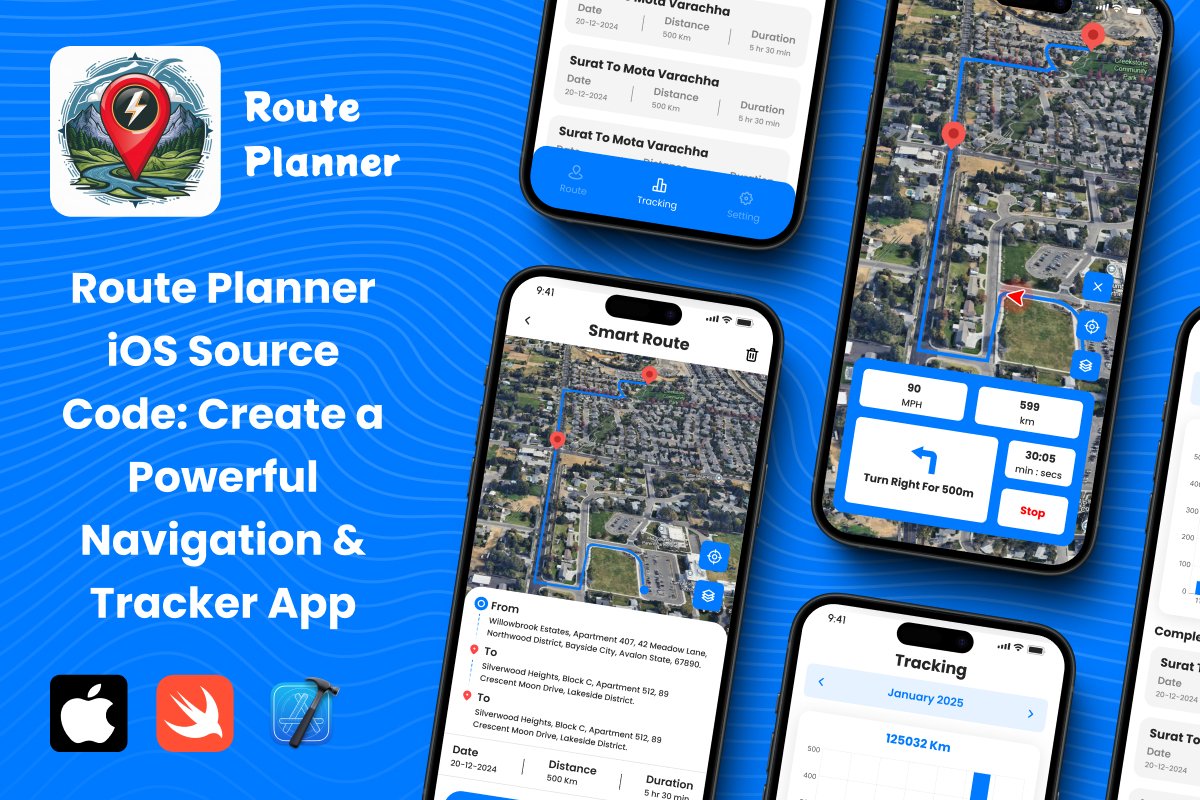
Users can view optimized paths directly on the map. The app shows a clear blue navigation line with red pins marking each stop location. This allows users to quickly understand their route at a glance.
The interactive map screen includes:
Route line visualization
Stop markers
Direction arrow
Map interaction buttons
This gives the user a professional, real navigation experience.
2. Plan Routes with Multiple Stops
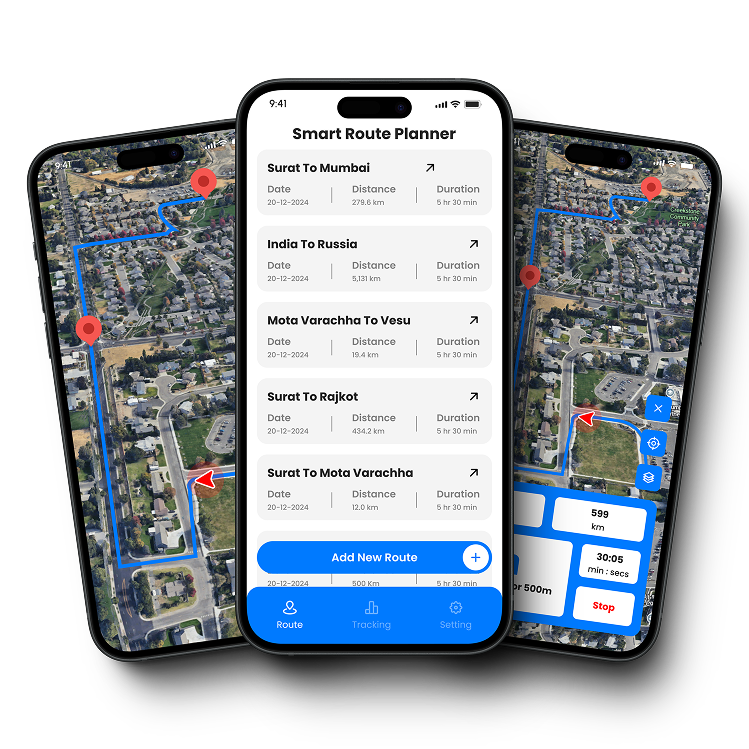
The Route Planner iOS Source Code allows users to add routes with different start and end locations. Each route shows:
From location
To location
Date
Distance
Estimated duration
This makes it easy to organize trips, deliveries, or daily commutes. Users can add multiple planned routes and access them anytime.
3. Live Route Tracking
One of the most important features shown in the screenshots is real-time route tracking.
During navigation, the user sees:
Current speed (MPH)
Total distance (km)
Time duration of the trip
Turn-by-turn direction card (e.g., “Turn Right for 500m”)
Live map movement
The bottom navigation panel includes an easy “Stop” button, allowing users to end the route instantly.
This makes the app perfect for logistics, fleet tracking, travel planning, and personal navigation tools.
4. Completed Route Tracking History
The app includes a clean Tracking screen that displays:
Total distance traveled (for the month)
A bar chart showing tracking progress
A list of completed routes with distance and duration
Monthly tracking selection
This feature is extremely useful for people who track daily travel, delivery agents who record trips, or businesses that monitor movement history.
5. Smooth Modern UI with Easy Navigation
The App UI shown in the screenshots uses:
Clean white layout
Blue-colored action buttons
Professional map design
Simple tab navigation (Route, Tracking, Setting)
The design is modern, minimal, and easy to customize — perfect for developers who want to build a polished app quickly.
Why Developers Choose This Route Planner iOS Source Code
If you’re a developer, you’ll appreciate:
Time saved by not building from scratch
Clean Swift code that’s easy to edit
Xcode-ready project with full documentation
High-demand app category (navigation, travel, tracking)
Real map interaction system already implemented
Fully customizable design and UI components
This source code cuts development time by weeks — and lets you publish a fully functional app faster.
What’s Included in the Route Planner iOS Source Code
When you purchase the Route Planner iOS Source Code from Softmize App Studio, you get:
Full Swift Source Code
Xcode Project Files
All UI Screens (Route Planner, Tracking, Settings)
Smart Route Navigation Map
Turn-by-Turn UI Components
Route History Tracking Module
Clean and Commented Swift Code
App Icons & Assets
Easy-to-edit design structure
Everything is ready for customization and App Store publishing.
Why Choose Softmize App Studio?
Softmize App Studio is trusted by developers for:
High-quality, production-ready app source codes
Clean, well-structured, and easy-to-understand projects
Fast, reliable support
Modern UI and premium app designs
Affordable pricing for high-value templates
Regular updates and new app source codes
Whether you’re a freelance developer or building your own startup apps, Softmize App Studio helps you launch faster and smarter.
Get Started Today
If you want to build a Powerful ios navigation & Tracker app, the Route Planner iOS Source Code is the perfect starting point. Customize it, rebrand it, add new features, and publish your own professional app with ease.
Visit Softmize App Studio today and download the source code to kickstart your next successful iOS project.